Putting together cute Baddies outfits is half the fun of the game, because every server feels like a runway when players coordinate their face, hair, and glow pieces. The real baddie look comes from layering a few signature cosmetics so the avatar reads "main character" before the first fight even starts. This guide breaks down face customization, wig swaps, glow accessory combos, and quick outfit formulas that work in any lobby.
Core Building Blocks of a True Baddie Outfit
Every baddie baddie outfit is built from the same four cosmetic layers: face shape, makeup, hair or wig, and a statement accessory. According to the official Baddies page on Roblox, the avatar editor opens from the avatar button in the top-right of the screen, which means players can re-style mid-match without leaving the server. That accessibility is why the community has shifted from single-piece looks toward fully coordinated face-and-wig combos.
The customization catalog is wide, but most players fall into three style families: soft-glam, street-baddie, and Y2K-cute. Each family leans on a different balance of skin tone, lip color, and hair texture. The table below maps the three families to the face sliders, wig volume, and accessory weight that work best for each one.
| Style Family | Face Slider Focus | Wig Volume | Statement Piece | Vibe Keywords |
|---|---|---|---|---|
| Soft Glam | Fuller lips, soft blush | Long waves or blowout | Pearl earrings, soft glow | Cozy, romantic |
| Street Baddie | Sharp jaw, bold contour | High ponytail or slick bun | Hoops, mask, chain | Confident, edgy |
| Y2K Cute | Round cheeks, glossy lips | Pigtails, space buns, butterfly clips | Mini purse, tinted shades | Playful, bubbly |
Picking a family first makes every later cosmetic decision faster because the face shape, hair texture, and accessories all need to agree. Players who mix a street-baddie wig with a Y2K purse often end up with a look that reads "costume" instead of "natural baddie."
Reading Your Face Sliders
The face customization tab controls everything from jaw width to eye tilt, and small slider changes shift the whole baddie feel. Soft-glam looks usually sit at a softer jaw setting with a slightly raised brow, while street-baddie looks push the jaw sharper and the brow flatter. The slider position does not lock a player into a single style, so a quick save-and-test cycle in the avatar room is the fastest way to find a face that feels right.
Community testing shared across outfit videos on YouTube suggests most players settle on three or four "go-to" face presets they cycle through. Saving those presets under memorable names — "soft glam," "club night," "gym fit" — means players can swap looks in seconds when the mood of the server changes.
Why the Wig Carries the Look
A wig is the single highest-impact piece in any baddie loadout because it frames the face and decides the silhouette. Long waves soften the jaw and pair well with romantic tops, while a slick bun pulls attention to the cheekbones and lets bold makeup do the work. Pigtails and space buns shorten the silhouette and lean the whole outfit toward Y2K-cute.
For players who want a quick way to refresh an old look, swapping the wig alone is often enough. The community's "wig trick" videos show a single hair change can take a tired outfit from "okay" to "screenshot-worthy" without spending any extra currency on clothing. Players serious about variety often build a small wig library so they always have options for the server's mood.
Baddies Face Customization: How to Change Face Settings
Baddies face customization is split into two layers: the base Roblox face mesh and the in-game makeup overlay. Players coming from other Roblox titles are often surprised that Baddies layers its own blush, lip tint, and highlighter on top of whatever base face they import, which means the "real" baddie look is a combination of both systems.
The table below shows the difference between the two face systems and what each one controls.
| Face System | Where to Edit | What It Controls | Persistence |
|---|---|---|---|
| Roblox Base Face | Roblox avatar editor (pre-game) | Face shape, skin tone, eye color, base features | Across all Roblox games |
| Baddies Makeup Overlay | Baddies avatar button (in-server) | Blush, lipstick, highlighter, lashes, freckles | Baddies only |
Players who want a true baddie look need to set up both layers. A bold base face with no in-game makeup reads as "blank canvas," and a soft base face with heavy in-game makeup often looks overdone because the underlying features fight the overlay.
How to Change Face in Baddies
The flow for changing face settings is straightforward once players know the two entry points. The base face is edited in the Roblox avatar editor before joining a server, while the makeup overlay is edited from the in-game avatar button after loading in. Editing the base face requires a quick trip to the Roblox avatar editor, but makeup changes can happen on the fly.
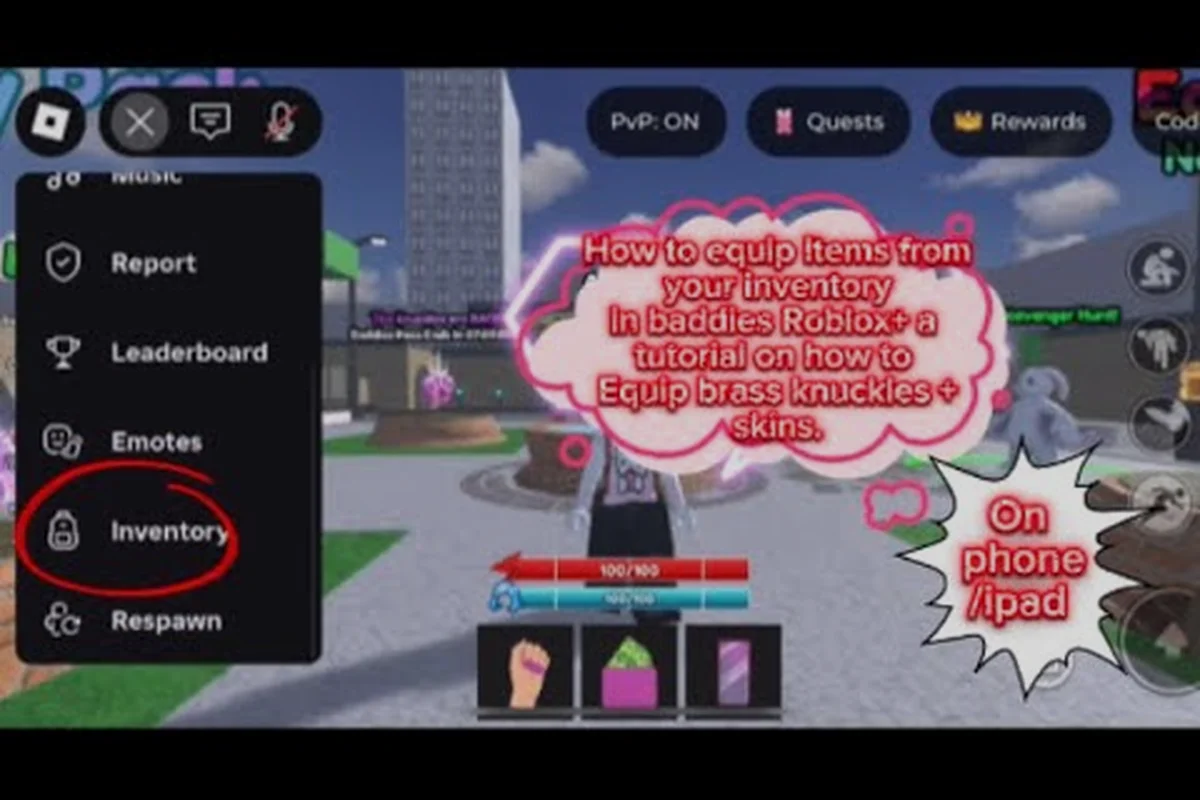
The community tutorial HAFIZA's step-by-step inventory guide walks new players through the equip flow end to end, including the avatar button shortcut. New players should run through that video once because the in-server interface is faster than the standard Roblox avatar page.
Choosing the Right Face Family
Three face families cover the vast majority of popular baddie looks: soft, sharp, and round. Soft faces pair with romantic wigs and pastels, sharp faces pair with sleek hair and dark lip colors, and round faces pair with pigtails and Y2K accessories. The mistake new players make most often is picking a face that does not match the wig's energy, which is why saving presets by style family (rather than by single face) tends to produce more cohesive looks.
Baddies Wigs Customization: Swapping Hair Like a Pro
Baddies wigs customization is the most replayable part of the avatar system because new wig options are added regularly, and each one pairs differently with the same face. Players who treat their wig collection as a wardrobe, rather than a single purchase, get far more value out of the catalog.
The fastest way to test a wig is in the avatar room, where players can swap hair without reloading. The community guide its_GIRLY on equipping skins shows the exact menu path, including how to preview a wig against the saved face preset. New players should preview a wig against at least two face presets because the same hair reads very differently on a soft versus sharp face.
Wig Length and Texture Matrix
The table below maps common wig lengths and textures to the face families they flatter most.
| Wig Length / Texture | Soft Glam | Street Baddie | Y2K Cute |
|---|---|---|---|
| Long waves | Excellent | Good | Fair |
| Slick bun / ponytail | Good | Excellent | Fair |
| Pigtails / space buns | Fair | Good | Excellent |
| Bob / shoulder-length | Excellent | Good | Excellent |
| Sleek straight down | Good | Excellent | Fair |
| Curly / afro volume | Good | Fair | Good |
Players building a starter wig library should grab at least one entry from each row because that mix covers the major style families without bloat. The community outfit video Hey I'm Jayda's "VERY CUTESEY BADDIE CATALOG" is a strong reference for which wig textures read as "cute" rather than "edgy," and players serious about the cute branch should bookmark it.
Baddies How to Change Hair in Server
Hair changes happen through the same avatar button used for face edits, so players can swap wigs between rounds. Players who want a "two-look" rotation often pick one soft-glam wig and one street-baddie wig, then switch based on whether the lobby is friendly or competitive. That single swap rotates the whole avatar's energy without changing anything else.
Glow and Accessory Combos That Complete the Look
Accessories are the third layer of any cute Baddies outfits build, and the glow family in particular is what makes a look "pop" in screenshots. Glow pieces include eye glow, lip gloss highlight, and accessory glow, all of which can be layered. According to the official game page, permanent cosmetics in Baddies can carry mechanical effects — for example, High Heels doubles stomp damage, Permanent Makeup blocks pepper spray, and Baddie Mask Anonymous hides the player's name and health bar.
That mechanical layer is the reason players pick accessories carefully. A cute baddie outfit that includes Baddie Mask Anonymous reads very differently from one without it, because the mask hides identity and turns a fashion piece into a tactical choice. The table below maps common accessory slots to the cosmetic options players reach for most often.
| Accessory Slot | Cute Pick | Edge Pick | Mechanical Bonus |
|---|---|---|---|
| Mask | Heart sticker mask | Baddie Mask Anonymous | Hides name + health bar |
| Eyes | Lash extensions + glow | Smoky shadow | Permanent Makeup blocks pepper spray |
| Lips | Glossy pink tint | Dark matte | Stacks with face overlay |
| Neck | Pearl choker | Chain | Visual only |
| Hands | Mini purse | Hoop earrings | Hoops can be styled as earrings |
| Feet | Platform sneakers | High Heels | Doubles stomp damage |
Players who care about both fashion and function tend to keep at least one accessory from the "mechanical" column in their active loadout. The community video How To Equip Purse In Baddies shows the equip flow for one of the most popular cute accessories, and the related Exclusiv7e7 outfit video pairs purses with the rest of the Y2K-cute formula.
Glow Layering Order
Glow pieces stack, and the order they are applied changes how strong the effect reads. Players who want a subtle glow usually apply face glow first, then accessory glow, because the face glow acts as a base tint. Players who want a screenshot-ready neon look apply accessory glow first, then face glow on top, which produces a brighter final result.
The trade-off is performance, because heavy glow stacks can drop the frame rate on lower-end devices. Players on older hardware should test their glow combo in a private server before committing it to a public lobby, especially during high-traffic events when server lag is already a factor. More on that in the private server and settings guide.
The Signature "Cute" Combo
The community's most popular cute combo, reported across outfit videos, stacks three pieces: a glossy lip tint, lash extensions, and a tinted shade accessory. That trio works on every face family, and the cost is low compared to a full clothing overhaul, which is why new players gravitate toward it.
Players who want to push the combo further can swap the tinted shade for a small heart sticker mask, which adds a soft-glam touch without breaking the cute energy. The result is a look that screenshots well in any lighting, which matters because Baddies servers vary from bright daylight maps to dim club interiors.
Outfit Formulas by Occasion and Server Type
Players who treat their loadout as a small wardrobe of "formulas" rather than a single outfit tend to enjoy the customization system more. The three formulas below cover friendly, competitive, and screenshot-focused servers, and each one uses the same cosmetics most players already own.
| Server Mood | Face Family | Wig Pick | Glow Level | Mask | Best For |
|---|---|---|---|---|---|
| Friendly / Social | Soft glam | Long waves | Low | Optional | Posing, group photos |
| Competitive | Sharp / street | Slick bun | Medium | Baddie Mask Anonymous | Fights, stomp chains |
| Screenshot / Showcase | Y2K cute | Pigtails or bob | High | Heart sticker mask | Reels, thumbnails |
The competitive formula leans on mechanical accessories like Baddie Mask Anonymous and High Heels because the stats matter once a fight starts. The screenshot formula leans on glow pieces because lighting is everything in a still frame. Players who play both modes often keep two saves side by side and switch in seconds through the avatar button.
Baddies How to Look Like a Baddie in 60 Seconds
New players who want the fastest path to the baddie look can follow this 60-second routine: open the avatar button, swap to a saved face preset, swap the wig to match the family, equip a glow piece on the eyes, and add one statement accessory. According to community outfit videos, that sequence covers the four cosmetic layers (face, hair, makeup, accessory) in the order they matter most.
The biggest shortcut is having face and wig presets pre-saved. Players who skip that step spend most of their time scrolling through options instead of building a look, which is why the community's most stylish players always recommend saving presets before chasing new cosmetics. The companion guide on avatar customization walks through the preset-save flow in more detail.
Frequently Asked Questions
What is the fastest way to look like a baddie in Baddies?
The fastest path is to open the avatar button, pick a soft-glam or Y2K-cute face preset, swap to a wig that matches that family (long waves or pigtails), add a low glow on the eyes, and equip one statement accessory like tinted shades or a mini purse. Saving those pieces as a preset lets players swap into a full baddie baddie outfit in under a minute.
Can I change my face and hair without leaving the server?
Yes. Both the face overlay and the wig are edited through the avatar button in the screen's upper-right area, so players can re-style mid-match. The base Roblox face has to be edited in the standard Roblox avatar editor before joining, but every in-game cosmetic is swappable on the fly.
Do accessories like Baddie Mask Anonymous affect gameplay?
Yes. According to the official game page, Baddie Mask Anonymous hides your name and health bar, which is a tactical advantage in competitive lobbies. Permanent Makeup blocks pepper spray, and High Heels doubles stomp damage, so the cute accessories you pick can also change how your fights play out.
How do I keep my outfit consistent across multiple Roblox games?
The Roblox base face, skin tone, and eye color carry across every game, but Baddies-specific makeup, wigs, and accessories only render inside Baddies. Players who want a similar look elsewhere should invest in the base Roblox face first, then layer Baddies cosmetics on top when in-server. The broader customization guide covers which pieces are cross-game and which are title-locked.
Where can I find outfit ideas before buying new pieces?
Community outfit videos on YouTube, like the Zoeyx Baddie Brookhaven Outfit clip and the a Baddies styling showcase video video, are the most reliable preview sources. They show which wig and accessory combos read as "cute" in real lighting, which is hard to judge from a catalog thumbnail. Players serious about building a wardrobe usually watch a few of these before committing to new pieces.